


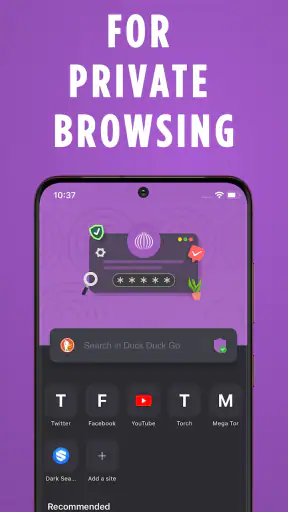
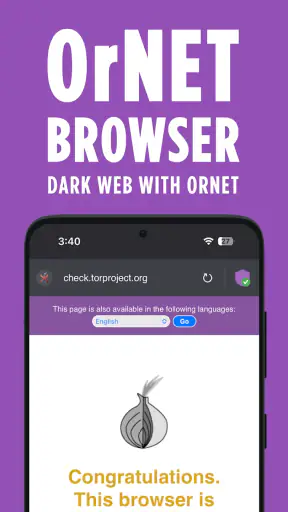
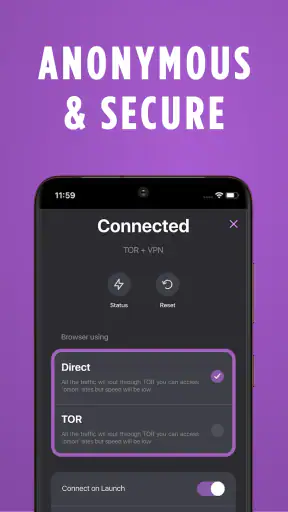
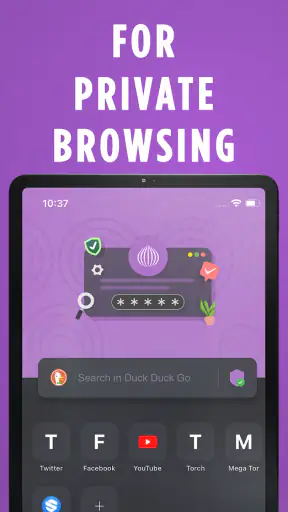
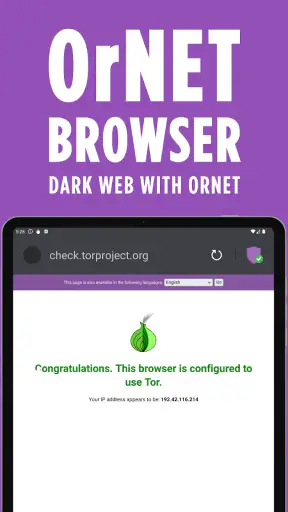
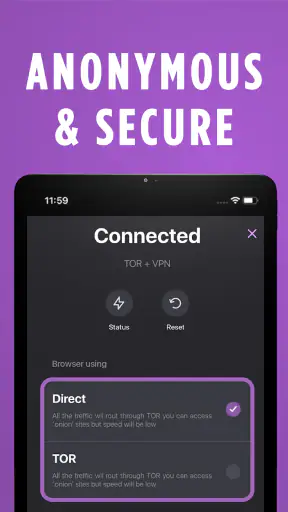
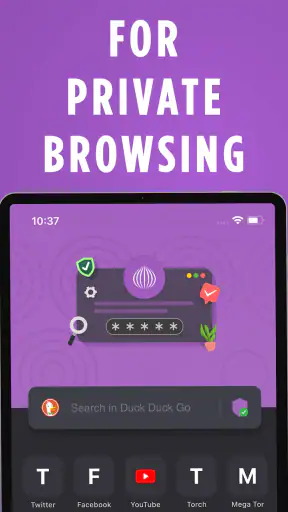
I approached Dark Web Browser: OrNET as a privacy-focused communication app rather than as a replacement for every browser on my phone. Its appeal is immediate: it combines dark-web browsing with a VPN-oriented privacy pitch in one compact tool, and the dark interface gives it a clear identity from the first launch. After spending time with it, I found the more important question was not whether it feels interesting during the first few sessions, but whether it deserves a permanent place in a regular browsing routine.
That distinction matters because privacy apps often create curiosity before they create habit. OrNET, developed by Stronger Apps, is free to install and aimed at Everyone, so it is accessible to a broad audience. It runs on Android 8.0 and later, and its current version is 1.9.68. The app has passed the novelty stage for many users, with more than a million installs and a 4.4 average from roughly 28 thousand ratings. Those figures suggest that it has found an audience, but they do not remove the need to understand where it fits—and where a conventional browser or a dedicated privacy tool may still be the better choice.
What the first week feels like
During the first week, the strongest part of the experience is the focused purpose. Instead of presenting itself as a general-purpose browser with a few privacy switches hidden in settings, OrNET puts secure, private browsing at the center of its identity. That makes the app easy to understand: I open it when I want a more privacy-conscious browsing session, not when I need every convenience offered by a mature mainstream browser.
The dark presentation is more than a cosmetic detail for me. It makes the application feel suited to late-night reading and browsing in low-light surroundings, while also separating it mentally from the browser I use for ordinary searches, shopping, and saved accounts. That separation can be useful. Keeping privacy-sensitive browsing in its own app reduces the chance that I casually mix it with my everyday tabs and logins.
A realistic use case is researching a sensitive subject on a shared family tablet or on a phone that is regularly handed to someone else. I would open OrNET for that session, avoid signing into personal accounts, browse only what I need, and close it when finished. The value here is not that the app magically makes every online action anonymous. The value is that it encourages a different browsing habit, one with fewer personal identifiers attached.
The VPN angle also gives the first-week experience a practical hook. When I am using public Wi-Fi, I prefer a privacy-focused connection tool over browsing casually on an open network. OrNET is attractive because it puts the browser and VPN concept together instead of asking me to install and coordinate separate products. That convenience is likely to matter more to occasional users than a long list of advanced controls.
Still, I would not treat the first launch as proof that the app can replace a full VPN service. A browser-based privacy workflow and a device-wide VPN are not automatically the same thing. If I switch to another application, use a different browser, or connect through services outside OrNET, the protection I expect may not apply in the same way. Anyone choosing it should think in terms of private browsing inside this app, not blanket protection for every activity on the phone.
Where it is useful immediately
OrNET makes the most sense for someone who wants a separate space for privacy-conscious web sessions without learning a complicated security setup. It can also suit a user who likes the idea of dark-web access but does not want to configure multiple tools before exploring that side of the internet. The app’s straightforward identity lowers the entry barrier.
There is a trade-off, though. A specialist browser can feel less familiar than Chrome, Safari, Firefox, or another established daily browser. I would not choose OrNET for tasks that depend heavily on synchronized bookmarks, a large extension ecosystem, seamless desktop handoff, or deeply integrated account management. Its appeal is concentrated around private browsing, and that focus is both its strength and its boundary.
One useful habit is to decide the purpose of a session before opening the app. If I am checking a normal account, buying something, or filling in personal information, I use my regular browser. If I am reading material I would rather keep separate from my routine or using a network I do not fully trust, OrNET becomes more appropriate. This simple division prevents the app from becoming a confusing half-replacement for the browser I already know.
Does it still matter from month to month?
After the first few weeks, the novelty naturally fades. The dark interface is no longer new, and the idea of a browser with VPN support becomes less exciting once it has been used for ordinary sessions. At that point, OrNET earns its space only if it solves a recurring problem. In my view, its lasting value depends on whether privacy becomes a repeatable routine rather than an occasional experiment.
For a user who regularly handles sensitive research, shares devices, travels, or connects to unfamiliar Wi-Fi, that routine can be real. The app offers a dedicated destination for those moments. I like the psychological clarity of having one place where I deliberately avoid personal logins and casual browsing history. That kind of compartmentalization is easy to maintain because it relies on behavior, not on remembering a complicated sequence of settings every time.
For everyone else, monthly value may be less consistent. If most browsing happens at home, takes place through trusted services, and depends on synchronized passwords and tabs, a conventional browser may remain more convenient. Installing a privacy browser does not automatically improve a person’s security if they rarely use it or if they continue to enter identifying information whenever they do.
The app’s communication category is slightly unusual because the main activity is browsing rather than messaging or calling. I interpret that classification as a sign that OrNET is positioned around private online communication in the broad sense: reaching websites and information with more attention to privacy. That makes it relevant to readers who want a communication-oriented privacy layer, but it also means users expecting chat features should not approach it with the wrong mental model.
One of the more useful long-term workflows is to keep OrNET for “clean” research. I can search for a topic, read several pages, and leave without bringing those searches into the same browser profile that contains shopping history, personal accounts, and autofill data. This is not a guarantee of invisibility, and I would still avoid sharing identifying details, but it creates a practical boundary that a normal browser profile does not encourage.
Another worthwhile habit is to use it selectively instead of forcing every task through it. Privacy tools become tiring when they slow down routine activities. I would reserve OrNET for sessions where its purpose matters, then return to my standard browser for work that benefits from saved credentials, familiar compatibility, or cross-device continuity. That balance is more sustainable than treating privacy as an all-or-nothing switch.
What the paid layer changes in the decision
The app is free, which makes trying it relatively easy, but it includes in-app purchases ranging from $4.99 to $39.99 per item. That pricing range changes the long-term question: I would not pay simply because the app has a privacy-focused appearance. I would first use the free experience long enough to decide whether the browsing workflow genuinely fits my needs.
Before spending money, I would also compare the purchase with a dedicated VPN or a trusted mainstream privacy browser. A separate VPN may be more useful if my goal is protecting traffic across several apps. A standard browser with established privacy controls may be better if I mainly want tracker reduction, password management, and reliable compatibility. OrNET has a clearer case when I specifically want its combined dark-web-browser identity and an uncomplicated private browsing destination.
The important practical question is not whether a paid option exists, but whether it removes a recurring obstacle. If I use the application only once every few months, a purchase is difficult to justify. If I use it every week for a defined privacy workflow and the free experience leaves me wanting more, the calculation becomes more reasonable. I would still read the purchase screen carefully and avoid assuming that payment turns the entire device into a private environment.
The maintenance burden is modest, but not zero
OrNET is easier to maintain than a collection of separate privacy tools because the browser and VPN concept are presented together. That reduces setup friction, especially for someone who does not want to compare technical options or configure a complicated network arrangement. The main maintenance task is behavioral: remembering which activities belong in OrNET and which belong in the regular browser.
I would also keep the app updated rather than treating privacy software as something installed once and forgotten. The current version is 1.9.68, and using the current release is a sensible part of maintaining any security-related application. Updates can affect compatibility and reliability, even though an updated version should not be mistaken for a complete privacy guarantee.
There is a second maintenance issue that is easy to overlook: expectations. Every time I open a privacy browser, I need to remember that my own actions still matter. Logging into a personal account, submitting a phone number, reusing an identifiable username, or downloading a file can connect a session back to me regardless of the app’s privacy-oriented design. OrNET can support a careful workflow, but it cannot replace careful judgment.
I would create a small personal checklist: do not sign into ordinary accounts during a privacy session, do not reuse identifying handles, do not assume another app receives the same protection, and close the session when finished. This is not busywork; it is what turns a privacy browser from a novelty into a useful habit. The app makes the first step easier, but the user still supplies the discipline.
Device compatibility is another practical consideration. Because it requires Android 8.0 or later, it is available to many Android users, but someone with an older phone will need a different option. The Everyone content rating makes it approachable for general audiences, though parents should still explain that privacy tools do not make every online destination appropriate or risk-free.
Where fatigue begins
The first source of fatigue is repetition. If I use OrNET for tasks that my normal browser handles faster, the privacy benefit can start to feel abstract while the extra app becomes a small inconvenience. Opening a separate browser, remembering a different workflow, and giving up familiar synchronization are manageable once or twice, but they need a clear reason to continue month after month.
The second source is the gap between the app’s strong privacy identity and what users may imagine that identity promises. Words such as “dark web” and “VPN” can create an expectation of complete anonymity. I would resist that interpretation. Privacy is layered: the browser, connection, websites, device, accounts, downloads, and personal choices all matter. OrNET may be a useful part of that layer, but it should not encourage reckless browsing or false confidence.
A third issue is compatibility. Specialist browsers can encounter pages or workflows that are smoother in the mainstream alternatives people already use. I would keep my regular browser available for banking, work portals, account recovery, and anything that depends on saved credentials or a polished desktop ecosystem. OrNET is better treated as a purpose-built companion than as an automatic winner in every category.
There is also a learning curve around the dark-web concept itself. A curious newcomer may open the app expecting an entertainment destination, while a privacy-minded user may expect a highly technical tool. Neither expectation is ideal. I would approach it as a browser for privacy-conscious exploration, avoid unknown downloads, and never treat obscurity as safety. The app’s approachable design should be paired with cautious behavior, especially when visiting unfamiliar sites.
Finally, the purchase options can create decision fatigue. A free app is easy to test, but the presence of items from $4.99 up to $39.99 means I would pause before upgrading. I want to know exactly what problem a purchase solves and whether that problem affects my regular use. If I cannot name the benefit in practical terms, I would stay with the free version or choose a different tool whose pricing and purpose are easier for me to evaluate.
Who should choose it—and who should pass
I would recommend OrNET to Android users who want a dedicated place for privacy-focused browsing, especially people who regularly use public networks, share devices, or research topics they prefer to keep separate from their normal browser profile. It is also a reasonable starting point for someone curious about dark-web browsing who wants a single app rather than a more complicated setup.
I would suggest skipping it if the main requirement is device-wide VPN coverage, seamless browsing across phone and computer, advanced account synchronization, or maximum compatibility with every web service. In those cases, a dedicated VPN, a mature privacy browser, or the browser already integrated into a user’s wider ecosystem may be the better investment. OrNET’s focused design does not make it the universal best choice.
For families, the Everyone rating makes the app broadly accessible, but I would not confuse an age rating with a safety lesson. A young user still needs guidance about unknown websites, personal information, downloads, and conversations with strangers. The privacy features can support safer habits, but they do not remove the need for supervision and common sense.
My long-term verdict
After the first-week appeal wears off, Dark Web Browser: OrNET remains useful when I give it a specific job. Its lasting strength is not that it makes every part of online life private; it is that it gives me a separate, easy-to-remember place for privacy-conscious browsing. That distinction keeps the app grounded and makes its value easier to judge honestly.
I like the combination of a clear dark-web identity, VPN-oriented browsing, free entry, and a simple role in a broader privacy routine. Stronger Apps has made a tool that can be approachable for ordinary Android users rather than only for people who enjoy configuring security software. The 4.4 average and audience of over a million installs also show that the concept has broad practical appeal.
My reservation is that the app can become redundant if I do not use its privacy workflow consistently. The dark design alone will not keep it on my phone, and the VPN label should not lead me to assume that every application or connection receives identical protection. I would also compare any in-app purchase carefully with a dedicated alternative before committing money.
My recommendation is therefore specific: install it if you want a separate browser for sensitive research, unfamiliar networks, or privacy-minded exploration, and use it with a clear set of personal rules. Keep your regular browser for accounts, synchronization, and everyday convenience. If that division solves a recurring problem, OrNET can earn lasting space. If it does not, the novelty will probably fade and a conventional browser or dedicated VPN will serve you better.


